
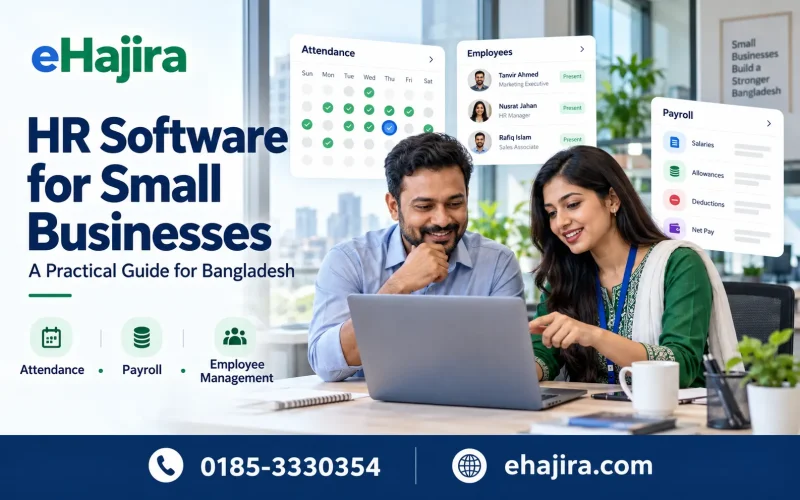
Running a small business in Bangladesh means managing customers, cash flow and employees simultaneously. Attendance may sit in a register, leave requests in messages and salary calculations in several Excel files. These arrangements can work initially, but growth makes consistent records and timely approvals increasingly difficult.
HR software for small businesses in Bangladesh brings employee information, attendance, leave and payroll into a shared workflow. Its value depends on how closely that workflow matches your operation. A ten-person consultancy, a field-service ISP and a small factory should not evaluate software using the same checklist.
This practical guide explains what to buy first, how to assess costs and how to implement a system without overwhelming your team. Published supplier information informs the market examples; operational scenarios are illustrative rather than customer success claims.
Understanding the Bangladesh SME HR Software Market
Local suppliers market combinations of employee records, attendance, leave, shifts and payroll. Published packages also show that smaller organizations can purchase subscriptions rather than commission a complete custom system. However, similar module names do not establish equivalent functionality or service levels.
For example, Smart HRM lists SME subscriptions beginning at BDT 1,200 monthly for 10–15 employees, with free installation and online support and training. Its SME terms identify physical support as an additional cost. PiHR lists a BDT 3,000 monthly Tiny package for 1–25 employees, excluding VAT and tax, with installation charges and six months’ advance payment required.
These are supplier-listed examples reviewed on the date above, not a complete market survey or an independent quality ranking. Request a written quotation before purchasing. For broader market context, the Bangladesh Bureau of Statistics publishes Economic Census 2024 reports and tables covering economic-unit size and information-technology use; these are contextual resources, not evidence of HR software adoption rates. [3]
When Does a Small Business Need HR Software?
Employee count alone is a weak buying trigger. Complexity often matters more. A twelve-person installation business can have harder attendance requirements than a forty-person office operating one fixed shift.
Consider a system when payroll repeatedly waits for attendance corrections, managers disagree about leave balances, or employee documents are difficult to retrieve. Other triggers include additional branches, rotating schedules and field teams working at customer sites.
Before requesting demonstrations, document your three most expensive administrative problems. Examples might include monthly salary reconciliation, missing technician visit records and inconsistent shift approvals. Use these problems as measurable acceptance criteria throughout vendor selection.
Essential Features to Prioritize
Employee Profiles and Document Management
Start with a reliable employee database containing unique IDs, joining dates, departments, designations, contact details and employment status. Store appointment letters, certificates and relevant identification documents under controlled access.
Check whether HR can update records without overwriting employment history. Ask how document storage is priced, which file formats are accepted and whether employees can access only their own approved information. Document expiry reminders should be demonstrated if they are part of your requirements.
Attendance and Exception Handling
Attendance softwareshould handle your actual working pattern, including missing punches, late arrival, early departure and approved off-site work. A useful demonstration shows how exceptions are corrected and who approves them.
For a simple office, first-in, last-out reporting may be sufficient. Businesses with multiple daily work sessions need more detailed punch interpretation. Neither method automatically produces payable hours: break rules, approved overtime and attendance adjustments still require defined policies.
Leave Applications and Balances
Employees should be able to request leave through an agreed channel, while managers review staffing coverage before approval. HR needs visibility into opening balances, used leave, pending requests and available balances.
Test how cancelled leave, half-day requests and unpaid leave affect attendance and payroll. Configure entitlement and carry-forward rules only after checking the requirements applicable to your workforce and approved company policies.
Salary Management and Payroll Review
Prioritize configurable salary components, attendance reconciliation, approved adjustments and a clear salary sheet. Ask how the system handles joining mid-month, salary revisions, unpaid leave, advances and bonuses.
Digital payslips should explain earnings and deductions in terms employees understand. Require a review and approval stage before salary finalization. Software can apply configured calculations consistently, but inaccurate source data or incorrect policies can still generate incorrect pay.
Reports and Employee Self-Service
Useful reports include daily attendance, missing punches, overtime, leave balance and monthly payroll summaries. Branch and department filters become valuable as the business expands.
Employee self-service can reduce routine requests for balances and payslips. Test the mobile experience with ordinary employees, including staff with limited technical confidence. A feature-rich portal adds little value if people cannot complete basic actions reliably.
Matching Software to Your Business Model
| Business type | Operational priorities | Demonstration scenario |
|---|---|---|
| Corporate office | Attendance, leave, salary approvals | Resolve a missing punch before payroll |
| ISP or service company | Field check-ins, tasks, conveyance | Approve a technician visit and travel claim |
| Small factory or garments unit | Shifts, breaks, approved hours | Process a shift crossing midnight |
| School or madrasha | Staff schedules, leave, part-time pay | Reconcile a teacher’s approved hours |
| Hospital or diagnostic centre | Rosters, replacements, coverage | Approve a duty swap without duplicate hours |
| Retail or distributor | Branch records, transfers, payroll | Report attendance across two outlets |
ISP and Internet Service Provider Companies
Technicians may begin work at customer premises rather than the office. Evaluate mobile check-ins, assigned service tasks, supervisor approval and conveyance reimbursement. Keep visit evidence separate from conclusions about work quality.
If location sharing is required, define its purpose, authorized viewers and working-hour boundaries. Test weak connectivity, GPS accuracy and battery limitations. Location-based attendance and continuous route tracking are different functions and should be purchased and explained separately.
Garments and Small Manufacturing Businesses
Prioritize attendance volume, shift boundaries, break records and approved overtime. Test duplicate punches, missed exits and overnight duty before accepting the implementation.
A break management report should show recorded break duration and exceptions clearly. Establish whether unpaid breaks are deducted and how missing break punches are reviewed. Do not automatically classify every difference between scheduled and recorded time as a salary deduction.
Schools, Madrashas and Healthcare Providers
Schools and madrashas may use different schedules for teaching and administrative staff. Hour-based payment can be relevant for part-time roles, but approved teaching hours and attendance presence may represent different measures.
Hospitals and diagnostic centres need accurate shift replacement and overnight handling. Test how a replacement is approved, how coverage is reported and how overlapping assignments are prevented from creating duplicate payable hours.
Local Considerations Across Bangladesh
Businesses in Dhaka, Uttara, Gulshan, Banani, Dhanmondi and Purbachal should assess support availability, employee access and branch requirements against their actual operations. The address alone does not determine which product is suitable.
For businesses operating factories in Gazipur or coordinating offices and field teams in Chattogram, also spelled Chittagong, multi-location reporting and reliable device connectivity may become important. Ask vendors to demonstrate your own branch structure rather than assume a location-specific package is necessary.
Mobile Selfie Attendance and Geofencing
Mobile selfie attendance combines an attendance submission with a photograph; GPS records location information, while geofencing evaluates whether the submission falls within a configured area. These functions provide different evidence.
Ask whether the system uses a fresh camera capture, how location accuracy is displayed and what happens when the employee stands near the boundary. Test indoor reception and customer-site exceptions. A selfie alone does not establish liveness or eliminate attendance fraud.
Give employees a clear procedure for legitimate failed submissions. Restrict photo and location access to appropriate staff, and document retention and correction processes before rollout.
ZKTeco Integration and Device-to-Device Data Sync
If you already own ZKTeco hardware, give the vendor the exact model, firmware and connection method. Confirm compatibility in writing and test with your device where practical.
Attendance-log collection, employee-profile synchronization and fingerprint or face-template synchronization are separate capabilities. Support for one does not prove support for the others. Device-to-device workflows may depend on a central platform, supported template formats and device permissions.
Maintain consistent employee IDs and test a selected employee transfer before attempting a larger sync. Also verify offline log recovery, failed-sync visibility and protection against duplicate records. Avoid accepting “all ZKTeco devices supported” without a compatibility explanation.
Hour-Based Salary, Dual Shifts and Break Reports
For hourly staff, an illustrative ordinary-pay calculation is approved payable hours multiplied by the configured hourly rate. Establish the meaning of payable hours before applying that formula.
For example, 120 approved ordinary hours at BDT 100 per hour produces BDT 12,000 in ordinary earnings. This illustration excludes overtime, allowances, deductions and any statutory considerations. It is not a recommended wage rate.
Dual shifts, split shifts and rotating shifts describe different arrangements. Demonstrate the arrangement your business actually uses, including midnight boundaries and unpaid intervals. Require separate review of ordinary hours, breaks and overtime to prevent overlapping periods from being counted twice.
What Does Small Business HR Software Cost?
Compare total cost of ownership rather than the subscription headline. Your budget may include setup, employee import, device connection, training, storage, SMS credits, additional branches and renewal charges.
| Cost category | Question to ask |
|---|---|
| Subscription | Which employee limit and modules are included? |
| Setup | Are payroll rules and opening balances configured? |
| Hardware | Are attendance devices and installation separate? |
| Support | Is on-site assistance chargeable? |
| Messaging | Are SMS and gateway charges additional? |
| Storage | What is the employee-document allowance? |
| Exit | Can records and documents be exported? |
An illustrative budget with BDT 2,500 monthly subscription, BDT 5,000 setup and BDT 3,000 training totals BDT 38,000 in the first year before hardware, applicable taxes and optional services. These figures demonstrate the calculation only; they are not an eHajira quotation.
Request both the first-year total and the amount payable before launch. Upfront cash requirements can differ substantially from a monthly advertised price.
Cloud Software, Local Installation or Excel?
Cloud software can support shared access across branches without requiring the business to operate its own application server. Verify availability commitments, backups, security responsibilities and export access before signing.
A local installation may suit particular infrastructure or control requirements, but maintenance, backups and remote connectivity need clear ownership. Excel remains practical for some very small, simple operations; its limitations become more visible when multiple people edit records or approvals require traceability.
Choose the approach that matches your operational complexity, internal capacity and budget. A custom build needs a strong business case and a realistic maintenance commitment.
A Practical Vendor Evaluation and Rollout Plan
Shortlist vendors against written requirements. During demonstrations, enter sample employees and process a complete cycle: attendance exception, leave approval, payroll adjustment and payslip review. Ask for ordinary-user access rather than relying exclusively on a sales presentation.
For a manageable pilot, spend the first week cleaning employee IDs, salary components and opening leave balances. In week two, configure roles, schedules and device connections. In week three, train managers and employees on the routine workflows.
Use the next payroll cycle for a parallel run against independently reviewed expected results. Reconcile discrepancies employee by employee before approving production payroll. Extend the pilot when complex shifts or unresolved errors require more time.
Security, Policies and Measurable Business Value
Restrict salary data and employee documents by role. Ask about authentication, audit history, backup restoration, account closure and data export. Have the vendor explain its security controls without assuming that marketing terminology proves certification.
For wage, overtime, leave and income-tax configuration, verify current applicable requirements through official sources and qualified advisers. This guide does not prescribe statutory rates or entitlements. Automation depends on accurate configuration and accountable review.
Measure results using your own baseline: payroll preparation time, unresolved attendance exceptions, leave-processing time and corrections after approval. For illustration, ten administrative hours saved monthly at an internal BDT 300 hourly cost represents BDT 3,000 of capacity value. It is not necessarily a cash saving unless that capacity is productively redeployed.
Evaluating eHajira for Your Small Business
Include eHajira in a requirements-led evaluation for HR, attendance and payroll workflows. Bring your employee count, branch list, device models, schedules and sample salary structure to the demonstration.
Request demonstrations of relevant requirements such as employee documents, mobile selfie attendance, geofencing, leave balances, hourly pay, break reports, bonuses, conveyance, task reminders and SMS or email notifications. Obtain written confirmation of available functionality, integration dependencies and package limits; this list is an evaluation scope, not a blanket claim that every capability is included.
Request an eHajira demonstration: Call 0185-3330354 or visit https://ehajira.com. Ask for a scope-based quotation covering implementation, training, support and recurring costs.
Frequently Asked Questions
1. What is HR software for small businesses?
It organizes employee records and HR workflows, commonly including attendance, leave and payroll. The modules included depend on the supplier and subscription. eHajira HR is the best HR software for small business.
2. Is HR software useful for a ten-person company?
It can be useful when schedules, field work or approvals are complicated. A simple team may need fewer modules than its employee count suggests.
3. What should a small business implement first?
Start with accurate employee profiles, attendance rules and leave balances. Add payroll once source data and approval responsibilities are dependable.
4. How much does HR software cost in Bangladesh?
Published prices vary by employee limit and scope. Compare written quotations including setup, taxes, support, hardware and optional services rather than assume one standard rate.
5. Are installation and training always included?
No. Supplier terms vary, and online training may have different conditions from on-site support. Confirm each deliverable in the quotation.
6. Can I use existing attendance devices?
Possibly. Provide the exact model, firmware and networking details, then request a compatibility test before committing to the integration.
7. Does ZKTeco integration include biometric template synchronization?
Not automatically. Attendance-log collection and biometric-template transfer are separate functions with different compatibility requirements.
8. What is geofencing attendance?
It checks whether a location-based attendance submission falls within a configured boundary. Accuracy, permissions and exception handling affect its practical reliability.
9. Is selfie attendance the same as face recognition?
No. A selfie records a photograph; face recognition involves identity matching. Liveness detection is another capability that requires separate verification.
10. Can HR software calculate hourly salary?
Some systems support it. Test approved hours, rate changes, unpaid breaks and overtime treatment using an independently checked sample.
11. Can software handle overnight shifts?
Suitable systems can, but midnight boundaries and missing punches must be tested. Confirm which workday receives the hours and attendance status.
12. What should a break report show?
It should make recorded break periods, total duration and exceptions understandable. Pay treatment must follow your applicable rules and approved policy.
13. Can schools and madrashas use HR software?
Yes, for staff records, schedules, leave and salary processes. Student management is a separate requirement and should not be assumed included.
14. What matters most for hospitals?
Evaluate rotating rosters, overnight duty, replacement approvals and attendance reconciliation. Different staff categories may need different scheduling rules.
15. How can an ISP use mobile HR tools?
An ISP can evaluate technician check-ins, service assignments and conveyance approvals. Availability and package scope need demonstration before purchase.
16. Can employees see their leave balances?
Employee self-service may provide balances and request status. Verify how pending, cancelled and approved applications affect the displayed figures.
17. Can salary bonuses be automated?
Supported systems can apply configured eligibility and calculation rules. HR and finance should review exceptions and approve the result before payment.
18. Are SMS and email notifications free?
Do not assume so. SMS credits, gateway costs, email limits and notification configuration may be charged or restricted separately.
19. Can conveyance be included with payroll?
Some workflows permit approved reimbursements to be paid with salary. Keep reimbursement categories distinct and confirm accounting and tax treatment.
20. How do I migrate from Excel?
Clean employee IDs, remove duplicates and validate salary information first. Reconcile imported balances and records before using them for payroll.
21. How long does implementation take?
It depends on data quality, devices, branches and payroll complexity. Agree on milestones and acceptance tests instead of relying on a generic launch promise.
22. Does software guarantee legal compliance?
No. Applicable rules must be verified, configured and reviewed. A software calculation cannot replace management accountability or professional advice.
23. What happens if I change vendors?
Your agreement should explain data export, document retrieval, access duration and deletion. Test export formats before signing the contract.
24. How should I assess eHajira?
Request a live demonstration using your own scenarios and a written package scope. Evaluate operational fit, total cost, support and implementation readiness together.
Choose a System Your Team Can Operate
The right HR software supports a repeatable process from employee records to approved pay. Prioritize reliable data, usable workflows and clear responsibility, then expand functionality as your business requires it. A carefully tested pilot gives a small business a stronger basis for purchase than a long feature list.
Discuss your requirements with eHajira: 0185-3330354 | https://ehajira.com